championtribe73
In the world of esports, having the right setup can make the difference between victory and defeat. Competitive gaming demands precision, speed, and comfort, and a well-designed esports setup can enhance performance, reduce fatigue, and provide an immersive gaming experience. From hardware to peripherals and ergonomics, every component plays a crucial role in building the ultimate environment for esports success.
In this blog, we’ll guide you through the essential elements of creating the ultimate esports setup, covering everything from PCs and monitors to chairs and accessories. Whether you’re an aspiring professional or a dedicated enthusiast, these tips will help you optimize your gaming environment for peak performance.
Choosing the Right PC or Console
The foundation of any esports setup is the device you play on. Most competitive gamers use high-performance PCs due to their flexibility, upgradability, and compatibility with professional esports titles like Valorant, League of Legends, and CS:GO.
When selecting a PC, focus on key components:
- Processor (CPU): A powerful CPU ensures smooth gameplay and quick response times. Multi-core processors with high clock speeds are ideal for competitive titles.
- Graphics Card (GPU): A high-quality GPU is essential for rendering visuals at high frame rates. Look for cards capable of 144 FPS or higher in your chosen games.
- RAM: At least 16GB of RAM is recommended for multitasking and seamless performance.
- Storage: Solid-state drives (SSD) reduce loading times, making them a must-have for competitive gaming.
For console esports, devices like the PlayStation 5 or Xbox Series X provide competitive performance, especially for games optimized for their hardware. Choosing the right platform depends on your preferred games and competitive scene.
High-Performance Monitors
A top-tier monitor is one of the most critical investments for competitive gaming. Esports players prioritize monitors with:
- High Refresh Rates: 144Hz or higher ensures smoother motion and faster reaction times.
- Low Response Time: A response time of 1ms reduces input lag, crucial for precision gameplay.
- Screen Size and Resolution: Most pros prefer 24 to 27-inch monitors with Full HD or 1440p resolution for clarity without sacrificing speed.
Some esports setups include dual monitors—one for gaming and one for monitoring streams, communication tools, or strategy guides. This setup enhances multitasking and streamlines workflow during competitive play.
Precision Peripherals: Keyboard, Mouse, and Controller
Peripherals directly affect performance in esports. Selecting the right keyboard, mouse, and controller is essential for comfort, speed, and accuracy.
- Keyboard: Mechanical keyboards with tactile switches provide faster response and durability. Features like customizable key binds and anti-ghosting are highly beneficial.
- Mouse: Look for a lightweight mouse with high DPI settings and programmable buttons. Precision, ergonomics, and reliability are key factors.
- Controller: For console esports or certain PC games, controllers should offer responsive triggers, comfortable grips, and customizable buttons.
Investing in quality peripherals ensures consistent performance and reduces the risk of fatigue during long gaming sessions.
Headsets and Audio Setup
Audio is a critical component of competitive gaming, providing cues for enemy movements, abilities, and environmental awareness. A high-quality headset offers:
- Clear Sound Quality: Crisp highs and punchy lows help identify in-game sounds accurately.
- Surround Sound or Positional Audio: This allows players to locate opponents precisely, a significant advantage in first-person shooters.
- Comfort: Lightweight, adjustable headsets with cushioned ear cups ensure comfort during extended sessions.
Some players also invest in a separate microphone for clear communication with teammates, enhancing coordination in team-based esports games.
Ergonomics: Comfort Meets Performance
An ergonomic setup is essential for long-term health and performance. Poor posture can lead to fatigue, back pain, and decreased focus. Key considerations include:
- Gaming Chair: Invest in a chair with adjustable height, lumbar support, and recline features. High-quality chairs reduce strain during extended play.
- Desk Setup: A spacious desk with cable management keeps peripherals organized and provides ample space for mouse movement.
- Monitor Placement: Position the monitor at eye level and an arm’s length distance to reduce neck and eye strain.
- Lighting: Soft ambient lighting reduces eye fatigue and creates an immersive gaming atmosphere.
Proper ergonomics not only enhance comfort but also improve consistency and focus, vital for competitive performance.
Internet and Connectivity
A fast and stable internet connection is non-negotiable for esports. Lag, high ping, or packet loss can ruin performance in competitive games.
- Wired Connection: Use Ethernet over Wi-Fi for lower latency and more stable connections.
- Internet Speed: Aim for at least 50 Mbps download speed and minimal upload latency for online play.
- Network Optimization: Using quality routers with gaming modes, QoS (Quality of Service), and minimal background traffic ensures consistent connectivity.
Connectivity issues are among the most frustrating obstacles in esports, so investing in reliable networking infrastructure is crucial.
Optional Additions: Streaming and Aesthetics
Many esports players double as content creators, so integrating a streaming setup can enhance engagement and revenue. Key components include:
- Camera and Lighting: High-definition cameras and proper lighting improve stream quality.
- Green Screen: Allows for overlay effects and professional-looking visuals.
- Capture Cards: Essential for console streaming and multi-platform setups.
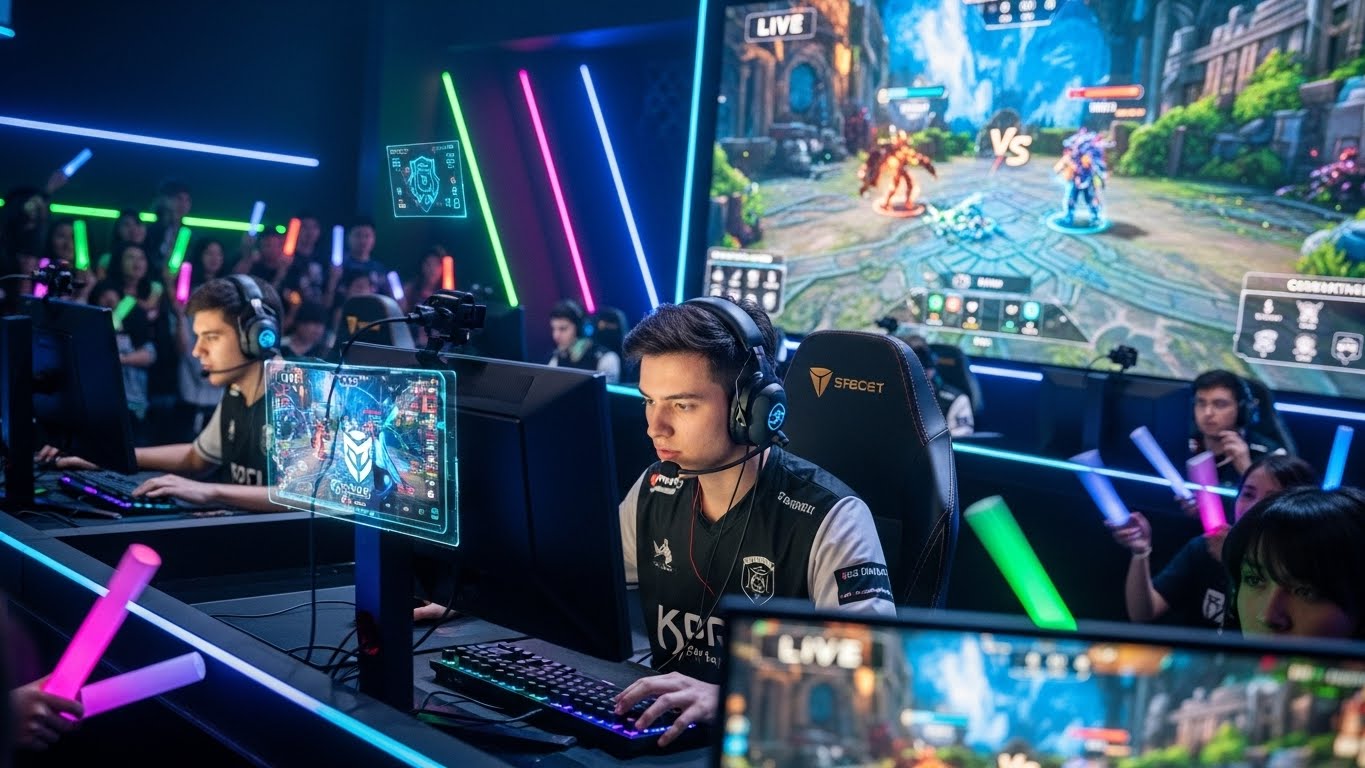
Aesthetics also play a role. RGB lighting, custom skins, and themed setups create a visually appealing environment that motivates players and appeals to viewers.
Maintenance and Upkeep
Building the ultimate esports setup isn’t just about acquisition—it’s also about maintenance. Keep equipment clean, dust-free, and regularly updated. Monitor firmware, driver updates, and software optimizations ensure peak performance. Proper cable management and cooling solutions prevent hardware failure and prolong longevity.
Conclusion: Crafting Your Competitive Edge
Building the ultimate esports setup involves balancing performance, comfort, and aesthetics. High-quality PCs or consoles, precision peripherals, ergonomic furniture, stable connectivity, and proper maintenance all contribute to a competitive edge.
Whether your goal is to compete professionally, stream content, or enjoy high-level gaming, a well-constructed setup enhances your experience and maximizes potential. By investing thoughtfully in each component and optimizing your environment, you can create a setup that supports peak performance, reduces strain, and elevates your esports journey.